AI design
How to print your own drawing on a T-shirt
A drawing on paper is one good capture away from a shirt. The hard parts are not the printing: they are getting a flat, evenly lit image of the page, removing the paper so the drawing sits on the fabric, and making sure thin pencil lines survive the trip to cotton. This guide covers each, and how Inkdrop's Print-Ready Remaster does the clean-up for you.
Photograph or scan the drawing
A flatbed scanner gives the cleanest capture. Epson's scanning guidance puts photographs at 300 dots per inch and line art at 300 or more, and Threadless's guide to making a transparent print file starts the same way: scan at 300. The Library of Congress, which digitises a lot of paper, notes that consumer scanners deliver less than their rated figure and that there is little to gain beyond 400 for flat originals, so 300 to 400 is the range. Lay the page flat on clean glass and scan the whole drawing in one pass.
A phone works for most drawings if you treat it like a copy stand. The advice from Art Storefronts, written for artists photographing their own work, is to shoot in soft, even light, overcast daylight or a bright room with no direct sun, hold the camera at the height of the artwork and exactly parallel to it, fill the frame, and zoom in slightly so the wide lens does not bow the edges. Format's guide adds: fix the paper flat, use a neutral wall or table, and avoid glass. Glare is the enemy; move until the shine leaves the page.
Scanner apps help with the geometry. Adobe Scan straightens the page and removes glare and shadows, and Google's PhotoScan takes several frames and stitches them to drop reflections; its instructions are to hold the phone directly above the page on a flat, contrasting surface and not to tilt. Save the result as a JPEG or PNG; Inkdrop accepts those two formats. The print resolution guide has the pixel counts if you want to check the capture is big enough; a full-page scan at 300 dots per inch is more than a chest print needs.
The paper has to go
A photo of a drawing is a drawing plus a white rectangle. Printed as is, that rectangle becomes a solid white block on any colored shirt; Printful's design guide describes a leftover white box as a stiff patch with a sticker effect, printed in ink. The fix is a transparent background, so only the lines and colors are printed and the shirt shows through everywhere else.
Doing this by hand is fiddly. Threadless's walkthrough uses Levels to push the ink darker and the paper to pure white, then removes the white with Image Trace or a channel selection, and warns that removing white also removes any white you drew on purpose, so you have to check the result on a shirt-colored layer. Watercolours need a different route, deleting the background and duplicating the layer two or three times to bring the paint back to full strength.
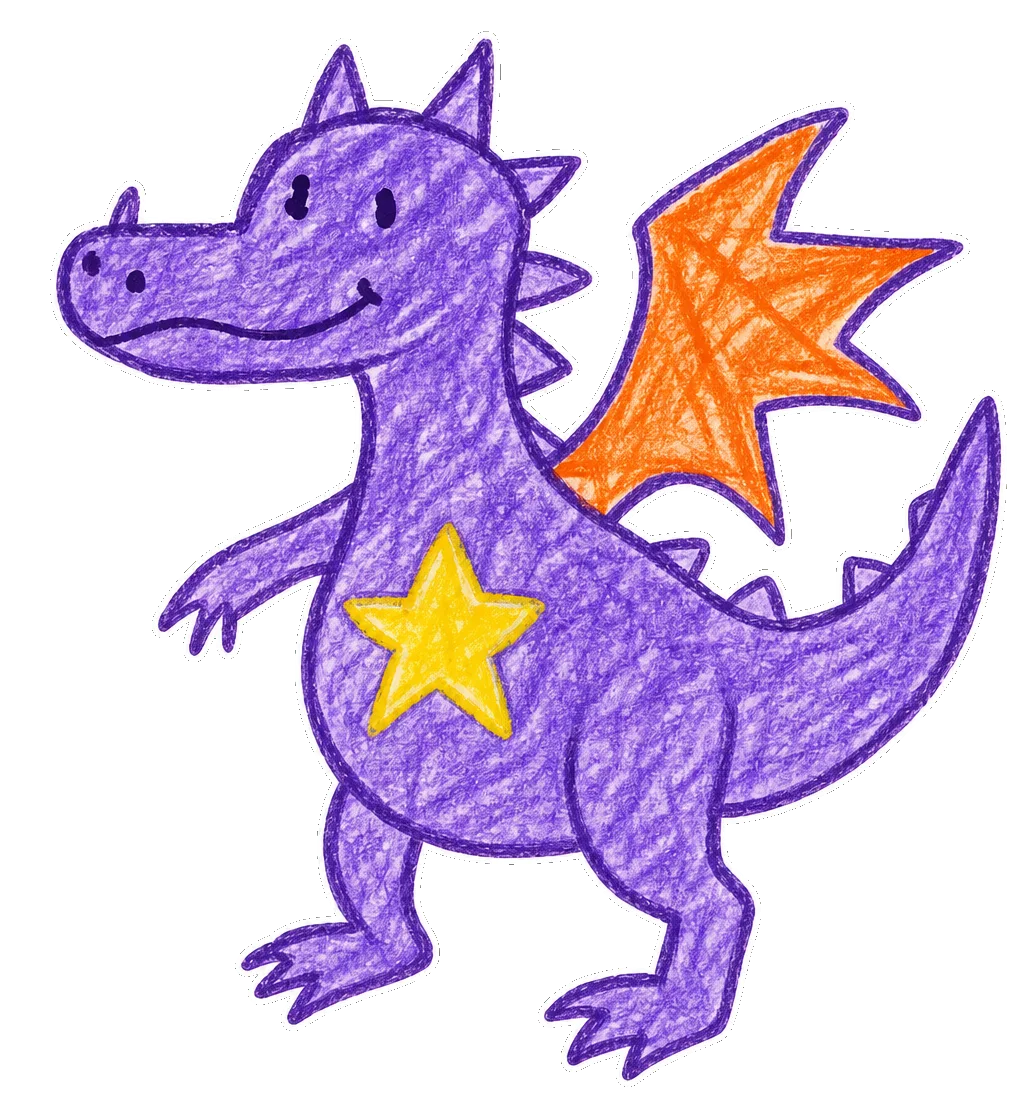
Inkdrop's Print-Ready Remaster concept does this for you. Upload one well-lit photo or scan of the drawing, cropped close, and Ink removes the paper, the screen or the background, sharpens the edges for printing and keeps every element exactly where you drew it, without adding, removing or restyling anything. You can describe the drawing in a few words so Ink knows what to protect, for example a crayon dragon my kid drew. You need to be signed in to add a file. The background guide explains what to look for at the edges afterwards.
Choose a finish and colors
Remaster offers four finishes, and every one keeps your composition, lines and colors; only the edge treatment changes. Faithful clean-up keeps the drawing as it is with the paper removed. Bold outline thickens the contours, which is the safest choice for pencil and fine-liner drawings that have to survive fabric. Flat vector fills turn uneven marker or crayon areas into solid color, the finish the app suggests for a child's crayon drawing. Keep the texture preserves paint and pencil grain for watercolour and painted work.
Color choices follow: as drawn, one ink, two inks, or punchier for print, which lifts saturation to allow for the way direct-to-garment ink lands on cotton. One ink is the right call for a black pen sketch, and it prints on any shirt color. For a watercolour, Threadless's advice is a light shirt: white garments need no white underbase, so the washes keep their softness, while on dark garments the underbase can show through pale areas.
You can add a few words beneath the drawing, a name, a date or a caption up to 36 characters, and Ink sets them to match. Then pick the shirt, hoodie or tote and preview it like any other design.
Pencil, faint lines and small detail
Fabric is unkind to faint marks. Printful's file guide says light designs are hard to see on white, cream, pastel and heather shirts, and that small text and fine details can blur or fade into the texture of the fabric. Threadless puts numbers on it for direct-to-garment: lines no thinner than 2 points and text no smaller than about 18 points on a 300 pixel per inch template. A soft pencil sketch is below those thresholds in places.
Three things help. Darken the capture, which Threadless does with Levels and Remaster does as part of the clean-up. Choose the Bold outline finish, which thickens the lines themselves. And print large enough: a drawing printed at 10 inches wide keeps lines that vanish at 5. If a drawing has shading made of many light strokes, expect it to simplify on fabric; the strokes that are clearly there will print, the ones that are barely there will not.
Pick the shirt color for contrast. A graphite drawing wants a light shirt; a white-ink drawing cannot be printed on a white shirt at all, because Printful prints no white ink on white garments. Check the drawing against the color you chose in Product view before you order.
Place it, size it and check the edges
Create shows the print boundary on the garment and the Recommended artwork size for the product you picked; adult T-shirts in our catalog print on a 12 by 16 inch area, hoodie fronts are squares that vary by style, and the Eco Tote prints on about a 10 inch square. The drawing keeps its proportions, so a wide landscape sketch will print smaller than a tall one in the same area. The design size guide has the paper test for choosing a width.
Zoom into Design view at the edges of the drawing and at anything thin: whiskers, grass, lettering, the tail of a signature. A missed scrap of paper prints as a white fleck; a lost line is simply gone. Then switch to Product view and judge the whole shirt at that size and color, the way you will see it folded over a chair. How print on demand works explains why this preview is the proof and what happens after you order.
Whose drawing is it?
Copyright in a drawing belongs to the person who made it from the moment it is on paper; the US Copyright Office explains that protection is automatic once a work is fixed in tangible form and that registration is optional. That includes children: the Office's own guidance says minors may claim copyright, and that owning the physical artwork is not the same as owning the rights to it. Your own drawings and your kids' drawings are yours to print.
A friend's drawing, a tattoo design, a page from a coloring book or artwork found online is someone else's, and our content policy asks you to print only work you made or have permission to use. Remaster is built for your own artwork and logos; it will not add new elements, and it is not a way to launder someone else's.
Order it
As of November 2026, T-shirts start at $15.03, hoodies at $33.10 and tote bags at $28.06, and the exact price shows in Create before you pay. Standard US shipping starts at $4.95 for a T-shirt. Production takes 2 to 5 business days and shipping adds 3 to 4, so most orders arrive 5 to 9 business days after payment, within the US only.
A drawing shirt is usually a gift, so order at least two weeks ahead and, if it is for someone else, ask their size; made-to-order items cannot be returned for fit or a change of mind, as our returns policy explains. If the shirt arrives damaged or misprinted, tell us within 14 days of delivery with photos and we will replace or refund it. Keep the original drawing; the shirt is a copy, and the paper is the thing.
Sources and further reading
- Epson: What resolution should I scan at?
- Library of Congress: How many DPI/PPI is too much?
- Art Storefronts: How to photograph your artwork
- Format: How to photograph artwork
- Google: Scan photos with PhotoScan
- Threadless: How do I make a transparent PNG?
- Printful: How should I prepare my print file for the best results?
- Printful: Custom T-shirt design tips
- US Copyright Office: What is copyright?
- US Copyright Office: Who can claim copyright