AI design
How to make a custom dog shirt with your dog's face
You need one good photo and ten minutes. The photo does most of the work, so take that first; then pick one of the portrait styles that print well, decide what happens to the background, place and size the portrait, and preview it on the shirt before you order it as a gift.
Take a photo the portrait can use
Get down to your dog's eye level. Photos taken from standing height shorten the legs and shrink the head; a photo taken from the floor shows the face the way their friends see it. The dog photographers writing for Countryfile and for Fracture's blog both put this first.
Use daylight. Take the photo outdoors in open shade or indoors next to a window, and turn the flash off; flash flattens the face, blows out light fur and puts a hard shadow behind the dog. Overcast days are good because the light is soft and the colors in the coat stay true.
Avoid motion blur. A dog mid-shake gives the AI nothing to work with. Wait for a sit, hold a treat just above the lens so the eyes come to you, and take several frames. Then pick the one where the eyes are sharp; both guides agree the eyes are what has to be in focus, even if the dog is looking slightly away.
Fill the frame with the dog and keep the background plain. Grass, a wall or a blanket is better than a cluttered kitchen. If your dog has a marking that makes them them, one black ear, a white chest patch, a crooked tail, make sure it is visible in the photo and mention it when you describe them.
If the only photo you have is an old print, photograph it flat in daylight, straight on and without glare, and crop to the dog. It will not be as sharp as a fresh phone photo, so describe the markings in words too, because the description tells Ink what to protect.
Portrait styles that print well on a shirt
Line art is one color, usually black or a dark ink, with clean weighted lines. It prints on any shirt color, survives smaller print sizes and does not depend on exact color matching. It suits dogs with a strong silhouette and clear markings.
A painted portrait keeps full color, shading and the texture of the coat. It wants room, so plan a center-chest print, and it looks best on a shirt color that contrasts with the dog: a cream or sand shirt for a black lab, a dark shirt for a golden.
Sticker style uses a bold outline and flat color fills. It reads from across the room, which is why it is the classic dog-shirt look, and the outline hides small imperfections in the cutout.
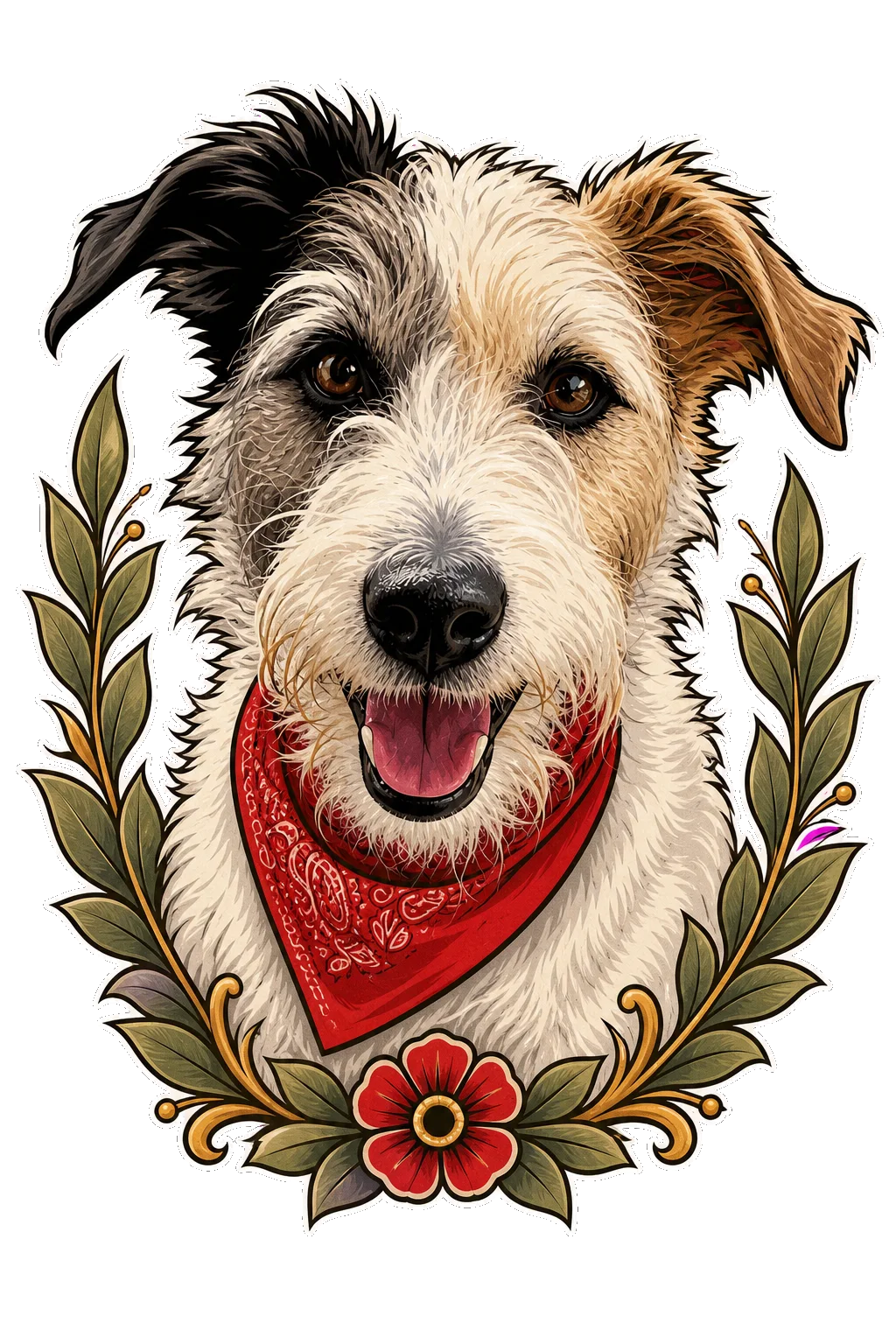
In Inkdrop, the Pet portrait concept handles all of this. You add up to two photos, say what makes them them, and choose a portrait personality (true to photo, regal, lovably goofy, tiny guardian or gentle), a framing motif (leaves, wildflowers, moon and stars, tiny bones or none), a favorite thing or prop, and a palette from natural and warm to ink only. Ink studies the markings first and styles the portrait around them. For cats, the Funny Cat Moment concept turns a habit into a shirt-sized joke and takes an optional photo so the cat stays recognizable. The custom cat shirt guide covers the photo and the habits that make the best jokes.
For two dogs, give one clear photo of each and name both in the description, with the marking that tells them apart. A portrait of two is still one design, so it needs a somewhat larger print than a single face.
Remove the background, or frame it?
A portrait on a shirt usually floats on the fabric, so the lawn, sofa or kitchen floor has to go. Set a transparent background in the artwork settings, then zoom into Design view and check the edge of the fur, the ears and the whiskers. Fur against a busy background is where cutouts go wrong, which is another reason for a plain background in the photo.
Sticker style is forgiving here, because the thick outline covers a slightly rough edge. Line art is the least forgiving, because a missed whisker or a jagged ear is the drawing. Check the ears and the tail tip in particular; they are thin and often sit against the busiest part of the photo.
If you want something behind the dog, choose it. The frame motifs in Pet portrait put leaves or wildflowers around the head and keep the shirt visible beyond them. A solid rectangle also works for a poster-style portrait, as long as you check its color against the shirt.
Where it goes and how big
A face needs room, so put it in the center of the chest. The small left-chest spot that suits a logo turns a dog's face into a smudge; Printful's placement guide reserves that spot for simple marks and puts artwork where there is space for detail.
Create shows the print boundary and lets you set the print size inside it. A portrait that fills the whole front looks like a poster; a medium chest print leaves fabric around it and reads as a shirt. Try both in the preview and look at the whole garment as well as the face.
Threadless's DTG design guide notes that thin lines and small text soften on fabric. If your portrait has a name beneath it, keep the lettering large and check every letter.
Pick the shirt size and color
If the shirt is for you, measure a T-shirt you already like and compare it with the garment chart. The Size guide button appears in Create when the selected shirt has measurement tables, and our fit guide explains how to read it.
If it is a gift, ask. A photo of the person is not a size, and a shirt that cannot be exchanged for fit is worth one question. Then choose the shirt color for contrast with the dog: light shirts for dark dogs, dark shirts for light dogs, and a look in Product view for anything in between.
Solid colors are the safest background for a portrait. Our catalog has 46 T-shirt styles from Gildan, Bella + Canvas, Comfort Colors, Next Level, AS Color and others, and the colors and sizes available for each show in Create.
Order it as a gift
As of November 2026, T-shirts start at $15.03 and the exact price shows in Create before you order, with standard US shipping from $4.95. Production takes 2 to 5 business days and shipping adds 3 to 4, so most orders arrive 5 to 9 business days after payment. We ship within the US only, to the address you enter at checkout, which can be the recipient's.
For a birthday or a holiday, order at least two weeks ahead. That covers the 5 to 9 business days most orders take and leaves a few days in case you want to change the artwork first. If you are shipping straight to the recipient, check the address carefully at checkout; the order is printed and shipped to the address you enter.
If the shirt arrives damaged or misprinted, tell us within 14 days of delivery with photos and we will replace or refund it. Because it is made for your order, we cannot take it back for a change of mind or a sizing mistake.
Use your own photos or ones you have permission to use. The same portrait also works on a hoodie or a tote; pick a different product in Create when you customize the design. How print on demand works explains the steps between your order and the parcel.